

It is not possible to have traditional multiple user accounts on an iPad for regular consumers, but Apple does offer limited multi-user support through special modes such as Shared iPad for Schools, Shared iPad for Business, and Family Sharing. Unlike macOS or Windows, iPadOS does not include a simple profile-switching system for personal use. This design reflects Apple’s philosophy of treating the iPad as a single-user, personalized device.
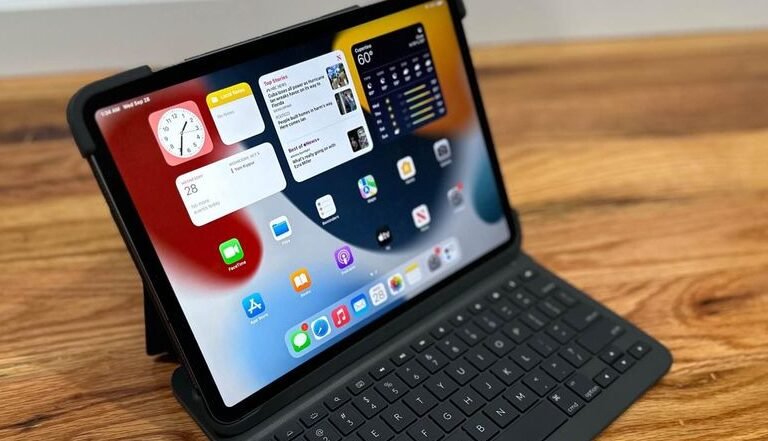
This guide explains how multi-user access works on iPad, what features Apple provides, what limitations exist, and the best alternatives for sharing an iPad in a household or workplace.
Table of Contents
Can You Create Multiple User Accounts on an iPad?
No, standard iPad models do not support multiple user accounts in the way laptops or Chromebooks do.
You cannot create separate home screens, app layouts, privacy zones, or isolated data profiles for different people under consumer iPadOS.
Apple has historically positioned the iPad as a personal device tied to a single Apple ID. That means:
- One primary Apple ID remains signed in
- All apps and content are accessible to anyone using the device
- Settings are shared by all users
- Privacy separation does not exist
However, Apple does offer specialized multi-user support in controlled environments.
Shared iPad: Apple’s Official Multi-User System (But Not for Everyone)
Apple does support multiple accounts on an iPad through Shared iPad, but this feature is only available under:
- Apple School Manager
- Apple Business Manager
Shared iPad for Schools
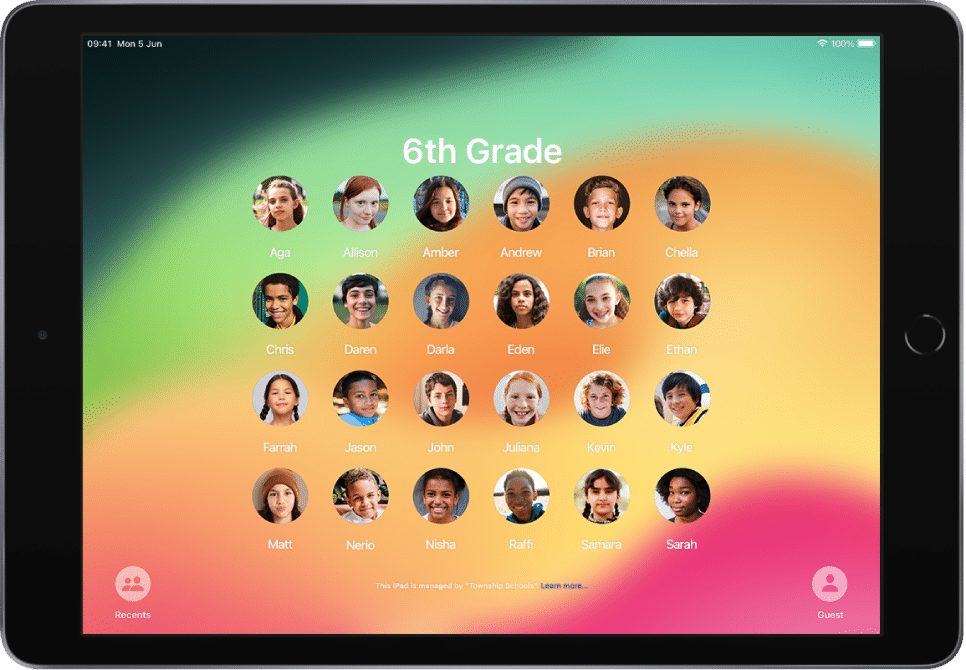
Apple introduced a special mode called Shared iPad for educational institutions. Students can log in with Managed Apple IDs, giving each child access to personal apps, assignments, and documents. The system stores profiles in iCloud and loads them when the student signs in.
Shared iPad for Business
Organizations using Apple Business Manager and MDM (mobile device management) can deploy shared iPads for teams or employees. Profiles are controlled centrally, allowing companies to manage apps, security settings, and data remotely.
These management platforms allow IT administrators to create separate Managed Apple IDs. Each user receives:
- Individual app data
- Separate files
- Personalized settings
- Their own iCloud storage (organization-managed)
When a user signs in, the iPad loads a personalized environment – similar to multi-user profiles on a computer. But this mode is restricted to organizations and cannot be enabled by regular consumers.
What Shared iPad for Schools and Business Actually Offers
To understand what you cannot use as a consumer, here’s how the official Shared iPad mode works in professional environments.
In a Shared iPad deployment:
Managed Apple IDs
Students or employees log in with organization-managed accounts.
Dedicated User Storage
Each login profile stores:
- App data
- Photos
- Documents
- System preferences
Cached Profiles
Frequently used profiles are stored locally so switching is faster.
Admin Controls
IT administrators pre-install apps, apply restrictions, and allocate cloud storage.
Privacy Separation
Every user has isolated data, protected by enterprise-level encryption.
This is the closest Apple has come to true multi-user profiles on iPad but it remains unavailable to consumers.
Why Apple Limits Multi-User Support for Consumers
Apple designed iPadOS around the idea that one iPad equals one user, with personalized apps, encrypted messages, and cross-device syncing through a single Apple ID. Introducing multiple user accounts would require iPadOS to separate:
- Purchased apps
- Messages
- FaceTime and call data
- iCloud files
- Photos
- App settings
- Keychain and passwords
Because all of these services are deeply interconnected, switching users would disrupt Apple’s privacy and continuity framework. As a result, consumer iPads do not include multi-user login screens or guest modes like some Android or Windows tablets.
How You Can Share an iPad Without Multiple Accounts
Even though there are no traditional multi-user accounts, several tools help you manage shared usage.
Family Sharing
Family Sharing lets multiple users access:
- Purchased apps
- TV+ and Arcade
- iCloud storage
- Books and movies
- Location sharing
However, this does not create separate on-device user profiles. It simply manages content access.
Guided Access
Guided Access locks your iPad into a single app or restricted experience.
Useful for:
- Children
- Guests
- Kiosk-like situations
But it does not separate personal data.
Screen Time Restrictions
Screen Time lets you:
- Limit app categories
- Hide adult content
- Block purchases
- Restrict specific functions
This is ideal for parents sharing one iPad with kids, but the interface remains the same for everyone.
Guest Mode Workarounds
Some users mimic guest mode by:
- Creating separate browsers
- Using restricted Safari profiles
- Setting up child Screen Time profiles
- Hiding apps using Home Screen pages
These are workaround, not true multi-user functionality.
Why Multi-User Support Would Benefit iPads (But Isn’t Here Yet)
Many users have long requested traditional multi-user accounts for:
- Families sharing one home iPad
- Children using the same device
- Households with different productivity needs
- Office teams managing a shared kiosk
- Travelers lending iPads to friends
Despite this, Apple continues to position the iPad as a personal device similar to the iPhone rather than a family computer.
Will Apple Add Multiple User Accounts in the Future?
As we know there is ongoing demand from families and professionals for multi-user functionality, and Apple has implemented it successfully in education and enterprise. However, Apple has not announced any plans to bring multi-user support to consumer iPads. Given the tight integration between iCloud and personal data, Apple would need to redesign major parts of iPadOS to enable this feature system-wide.
Multiple User Accounts: iPad vs Other Tablets
Apple’s single-user approach differs from some competitors.
Android Tablets
Most Android tablets allow multiple user profiles, guest accounts, and child accounts. This makes Android more flexible for shared households or workplaces.
Windows Tablets
Windows tablets work like PCs, offering full multi-user login screens and completely separate profiles.
Despite these differences, Apple maintains its streamlined ecosystem to preserve privacy and security across all devices linked by one Apple ID.
Frequently Asked Questions
Can I add multiple profiles to an iPad like on Android tablets?
No. Consumer iPads do not support Android-style multi-user profiles.
Does iPadOS have a guest mode?
Not officially. You can use Guided Access or Screen Time as a partial workaround.
Can children have their own profile on one iPad?
Not locally. Child accounts work through Family Sharing but do not change the device interface.
Does an iPad shared between two adults keep data private?
No. All apps, messages, photos, and documents remain accessible.
Why do schools have multiple user accounts but regular users cannot?
Because Apple restricts Shared iPad to managed deployments under School Manager or Business Manager.
Conclusion
It is not possible to have traditional multiple user accounts on a consumer iPad, but Apple provides limited multi-user functionality through Shared iPad for Schools and Business. For everyday users, the iPad remains a single-user device tied to a single Apple ID. While tools like Family Sharing, Screen Time, and Guided Access help manage shared usage, they do not create independent profiles.
Until Apple changes iPadOS to support true multi-user environments, the iPad will continue to function primarily as a personal, individualized device, even as demand for shared-access features grows.

Ben Scott is a prominent technology journalist and reviewer, specializing in tablet devices. He is known for his comprehensive and unbiased reviews of tablets from various manufacturers.
With a deep understanding of tablet technology, including hardware components, operating systems, and software applications, Scott provides clear and informative reviews accessible to readers of all levels of technical expertise.
His attention to detail and in-depth analysis have earned him a loyal following of readers.