

Knowing when an iPad battery is worth replacing helps you avoid performance issues, unexpected shutdowns, and reduced productivity. As iPads age, battery health naturally declines, leading to shorter usage time and throttled performance. Apple designs iPad batteries to last for years, but heavy use, frequent charging, and long-term wear eventually take a toll. Since iPad batteries are sealed and not user-replaceable, recognizing the right moment to replace them is essential.
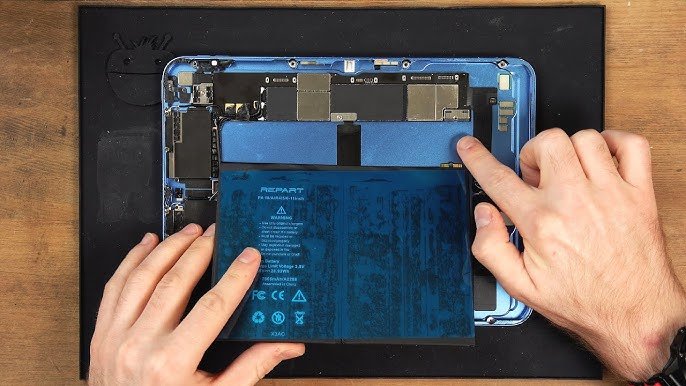
This guide outlines the best ways to know your iPad battery needs replacement, supported by clear indicators, performance symptoms, and Apple’s service recommendations.
Table of Contents
Indicators To Know That Your iPad Battery Is Worth Replacing
1. Check Battery Health Data in Settings
The most reliable way to determine whether your iPad battery is worth replacing is through iPadOS Battery Health diagnostics. Newer versions of iPadOS provide a clear battery health percentage and charging guidance. If your iPad supports the Battery Health feature, you can check the Maximum Capacity reading, which indicates how much charge the battery can hold relative to a new one.
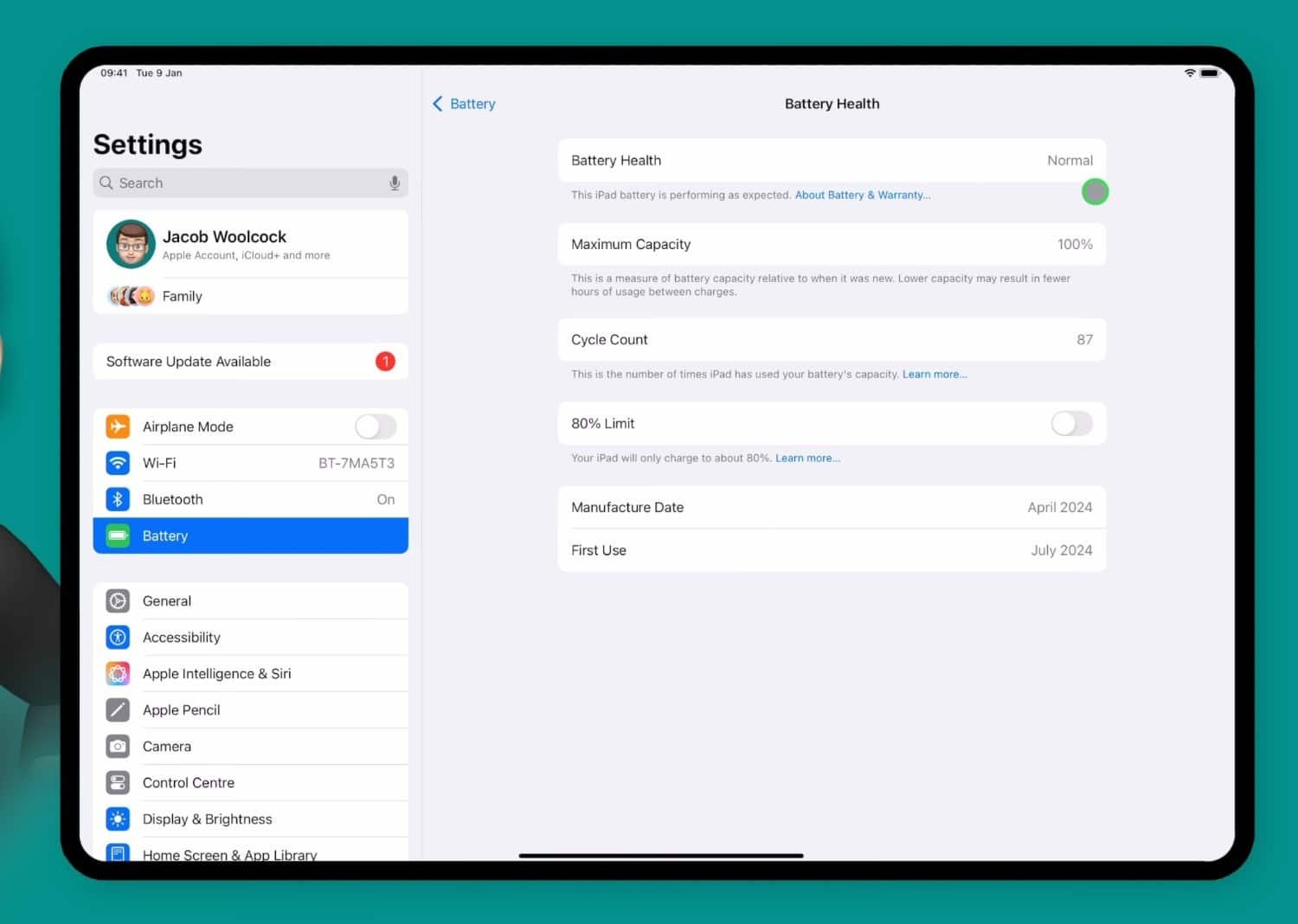
Signs from battery health data that indicate replacement
- Maximum capacity below 80% often means the battery has aged significantly.
- Performance management notices indicate the system is limiting performance due to battery condition.
- Service recommendations appear when the battery can no longer provide peak performance.
These system alerts are Apple’s direct guidance that the battery is no longer functioning at its intended efficiency.
2. The iPad Drains Battery Much Faster Than Before
A rapid drop in battery life is one of the most common signs that an iPad battery is worn out. If the device previously lasted all day but now struggles to stay powered for a few hours under similar usage, the battery may no longer hold a meaningful charge.
This type of drain often appears gradually. Older iPads subjected to consistent multitasking, high screen brightness, or long-term gaming lose capacity faster. If the decline continues despite optimizing settings, it is likely worth replacing the battery.
3. The iPad Shuts Down Unexpectedly or Reboots Randomly
Unexpected shutdowns even when the iPad shows substantial remaining battery percentage are a strong indicator of failing battery cells. As the chemical integrity of the battery degrades, voltage drops can cause the device to shut off suddenly.
If your iPad frequently restarts or powers off during resource-heavy apps, cold weather, or even light use, a degraded battery is often the cause. This issue becomes more urgent as random shutdowns can result in data loss or instability.
4. Charging Takes Longer Than Usual or Stops at a Certain Percentage
When iPad batteries wear out, charging efficiency decreases. Some devices may take excessively long to charge, while others struggle to get past a certain percentage, such as 80% or 90%.
While thermal protection may delay charging above 80% under certain conditions, consistent charging stalls, especially when using official cables and chargers suggest that the battery is deteriorating.
In some cases, the iPad may heat up during charging, another sign the internal battery is struggling to regulate power.
5. The iPad Only Works Properly When Plugged In
If your iPad performs normally only while connected to a charger, but slows down, shuts off, or loses charge rapidly when unplugged, this is a clear signal that the battery’s cell integrity has significantly weakened.
This behavior indicates that the battery can no longer supply stable voltage and the device relies heavily on direct power to function.
6. Battery Health Management Features Trigger Performance Throttling
Apple implements power management measures when an iPad’s battery can no longer support peak performance. You may notice:
- Slower app load times
- Delayed multitasking transitions
- Frame drops in graphics-heavy apps
- Reduced processor performance
When performance noticeably degrades despite a clean system and sufficient storage, the battery often becomes the limiting factor. Replacing it usually restores the device’s original speed.
7. The iPad Swells or Shows Physical Battery Symptoms
In rare cases, aging lithium-ion batteries can swell. Visible warning signs include:
- Screen lifting or separating from the frame
- Unusual bulging on the back shell
- Gaps forming between the display and chassis
A swollen battery is a safety issue and should be replaced immediately. Do not continue using or charging the device if physical distortion appears.
8. Software Resets and Updates Do Not Improve Battery Issues
Sometimes software bugs cause battery drain or performance drops. However, if issues persist after:
- Updating iPadOS
- Restarting the device
- Resetting settings
- Performing a clean restore
then the underlying problem is far more likely to be the battery itself. Persistent issues after clean software restoration confirm hardware-level degradation.
9. The iPad Is Several Years Old
Batteries naturally lose capacity over time. Most iPads begin showing noticeable declines after 3–5 years depending on usage patterns. Heavy workloads accelerate aging, while light use extends battery life.
If your iPad is five years or older and displaying any performance or charging problems, a battery replacement is often the most cost-effective way to extend its life.
10. Apple Recommends a Battery Service
Apple Diagnostics or Apple Support may explicitly recommend a battery replacement. If Apple’s systems detect reduced maximum capacity, unstable voltage, or repeated shutdowns, you’ll receive a “Service Recommended” message. This is the most definitive confirmation that replacement is needed.
When Is It Worth Replacing the Battery vs. Buying a New iPad?
Whether a battery replacement is worthwhile depends on your device’s age, performance, and overall condition. Replacing a battery is significantly cheaper than buying a new iPad, so it makes financial sense for relatively modern models still receiving iPadOS updates.
However, if the device struggles with performance due to aging hardware not just battery life, it may be more practical to upgrade. Evaluating your workflow, storage needs, and app requirements helps determine whether a new battery or a new device is the better investment.
Frequently Asked Questions
How long does an iPad battery normally last?
Most iPad batteries maintain strong performance for 3–5 years depending on usage.
Can I check iPad battery health manually?
Yes. Newer iPadOS versions include a Battery Health section showing maximum capacity and service recommendations.
Does replacing the battery restore performance?
Yes. In most cases, a new battery removes throttling and improves stability.
How much does an iPad battery replacement cost?
Apple’s replacement fees vary by model but cost significantly less than upgrading to a new device.
Can third-party shops replace an iPad battery?
Yes, but Apple-authorized service providers ensure safer replacements and proper sealing.
Conclusion
The best ways to know an iPad battery is worth replacing include monitoring battery health, noticing rapid drain, unexpected shutdowns, charging issues, throttled performance, physical swelling, and persistent problems that software updates cannot fix. iPad batteries naturally degrade over time, but replacing them often restores the device to optimal performance and extends its lifespan by several years.
Whether you rely on your iPad for work, school, entertainment, or travel, recognizing the signs of battery decline ensures you replace it at the right time and maintain a smooth, reliable experience.
However, if you wanted to know more about replacing your iPad battery check out this article.

Ben Scott is a prominent technology journalist and reviewer, specializing in tablet devices. He is known for his comprehensive and unbiased reviews of tablets from various manufacturers.
With a deep understanding of tablet technology, including hardware components, operating systems, and software applications, Scott provides clear and informative reviews accessible to readers of all levels of technical expertise.
His attention to detail and in-depth analysis have earned him a loyal following of readers.