

Choosing the best tablet for GPS navigation in your car requires evaluating performance, connectivity, display, and compatibility. A navigation tablet must offer accurate GPS tracking, long battery life, and clear outdoor visibility.
A tablet functions as a smart, multi-purpose GPS device, giving real-time traffic updates, larger maps, and voice guidance in one interface. It replaces traditional GPS units by combining navigation, entertainment, and communication for drivers and travelers.
Tablets with built-in GPS modules, reliable mapping apps, and secure mounts deliver the most efficient in-car navigation experience.
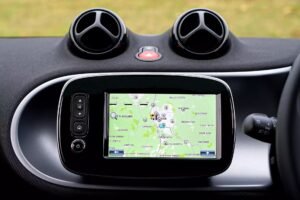
Table of Contents
12 precise steps to identify and choose the right tablet for your car.
Step 1: Identify Tablets with Built-in GPS Capability
The first factor is GPS functionality.
Not every tablet includes a built-in GPS chip. Wi-Fi-only models rely on network triangulation, which decreases accuracy.
Tablets with integrated GPS modules—like the Samsung Galaxy Tab Active4 Pro, Apple iPad (Cellular Models), or Lenovo Tab M10 LTE—provide independent satellite navigation.
Always confirm that the tablet supports GLONASS, Galileo, or BeiDou in addition to GPS for higher precision.
Step 2: Check Display Size and Brightness
The display determines how easily you view maps and routes.
A tablet between 8 to 10 inches provides the best balance of visibility and dashboard space.
Choose a tablet with at least 500 nits brightness and Full HD resolution for outdoor readability.
Anti-glare or laminated screens enhance clarity when driving under sunlight.
Larger tablets like the iPad Air (10.9″) or Samsung Galaxy Tab S9 (11″) offer wider map views but need stronger mounts for stability.
Step 3: Evaluate Battery Life and Charging Convenience
Battery endurance directly impacts navigation reliability.
Continuous GPS usage drains power faster than normal use. A tablet should last at least 8 to 10 hours on a single charge.
Use USB-C car chargers or dedicated charging mounts for long drives.
Models with fast-charging capability (minimum 18W) ensure uninterrupted navigation.
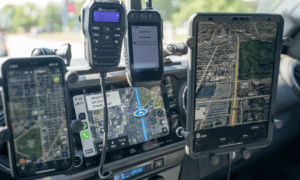
If your vehicle supports wired or wireless Android Auto or Apple CarPlay, prefer tablets that integrate seamlessly with those systems.
Step 4: Assess Processor Speed and Memory
Navigation apps require real-time rendering and data updates.
A slow processor delays map loading and route recalculations.
Select tablets with a minimum octa-core processor and 4GB RAM for smooth GPS performance.
Popular examples include Snapdragon 8 Gen 2, Apple M1, or Exynos 1380 chipsets.
Tablets with offline map storage capability (32GB or higher) allow navigation without network coverage—essential for remote routes.
Step 5: Verify Connectivity Options
Reliable connectivity enhances GPS accuracy and real-time updates.
Prefer LTE or 5G models that can access mobile data for live traffic updates.
Wi-Fi-only models require tethering from your smartphone hotspot, which limits convenience.
For the best navigation experience, ensure the tablet supports:
- Dual-band Wi-Fi (2.4GHz & 5GHz)
- Bluetooth 5.0 or later for external GPS receivers or accessories
- USB-C for fast charging and data transfer
Step 6: Check Durability and Mount Compatibility
In-car tablets face vibration, heat, and sunlight exposure.
Choose tablets built with rugged casing, scratch-resistant glass, and temperature tolerance from -10°C to 50°C.
Tablets like the Samsung Galaxy Tab Active4 Pro or Apple iPad Mini 6 are designed for such conditions.
Use magnetic or suction-based mounts compatible with your dashboard size. Secure mounting prevents glare and ensures driver safety. You can also check out some tablets holder which you may like to use to hold these tablets.

Step 7: Ensure Mapping Software Compatibility
Navigation software defines user experience.
Confirm that your tablet supports major mapping platforms such as Google Maps, Waze, HERE WeGo, Gaia GPS, or Sygic.
Offline navigation is essential for areas without connectivity. Download maps in advance and choose tablets with expandable storage or at least 64GB internal memory.
Tablets running Android 12+ or iPadOS 17+ ensure long-term compatibility with the latest navigation features.
Step 8: Consider Sound and Voice Assistance
Audio clarity matters for spoken directions and alerts.
Select tablets with dual speakers positioned for front output.
Support for Bluetooth audio enables connection with your car stereo for clearer navigation cues.
Voice assistants like Google Assistant or Siri simplify route queries and control hands-free navigation, improving safety during driving.
Step 9: Review Battery Heat Management and Performance Stability
Extended GPS use generates heat.
Ensure the tablet maintains stable temperature control to avoid throttling or shutdowns.
Metal or aluminum chassis tablets dissipate heat more effectively than plastic ones.
When mounted, keep ventilation clear and avoid dashboard areas under direct sunlight for long durations. Performance stability ensures consistent GPS accuracy.
Step 10: Analyze Price-to-Performance Ratio
The best tablet for GPS navigation delivers long-term reliability and consistent accuracy.
Spending more guarantees better display, faster processors, and longer support updates.
Price Segments:
- Budget ($150–$250): Lenovo Tab M10 LTE, Amazon Fire HD 10 Plus.
- Mid-range ($300–$600): iPad (9th Gen), Samsung Galaxy Tab S6 Lite.
- Premium ($700+): iPad Air, Samsung Galaxy Tab S9, Microsoft Surface Go 3.
Choose based on your frequency of travel, app usage, and desired ecosystem.
Step 11: Verify Accessories and Expandability
Accessories enhance the in-car navigation experience.
Look for compatibility with mounting kits, Bluetooth keyboards, styluses, and SD card expansion.
A 128GB microSD card allows offline map storage and route logs.
Protective cases and screen guards extend durability during travel.
These small investments significantly improve long-term performance and usability.
Step 12: Consider Software Updates and Longevity
Software updates ensure map accuracy and device security.
Select tablets that receive at least 3–5 years of OS and security updates.
Apple and Samsung lead in update longevity, making them ideal for frequent travelers.
Outdated software limits app compatibility and GPS reliability, reducing device lifespan.
Top 5 Tablets for GPS Navigation in Cars
| Tablet Model | Display Size & Brightness | GPS Support | Battery Life | Connectivity | Price Range (USD) | Best For |
|---|---|---|---|---|---|---|
| Apple iPad (9th Gen, Cellular) | 10.2” Retina, 500 nits | GPS + GLONASS | Up to 10 hrs | LTE, Wi-Fi, Bluetooth 5.0 | $350–$400 | Everyday navigation & iOS users |
| Samsung Galaxy Tab S9 (Wi-Fi + 5G) | 11” Dynamic AMOLED | GPS + GLONASS + Galileo + BeiDou | 8,400 mAh battery | 5G, Wi-Fi 6E, Bluetooth 5.3 | $700–$800 | Professionals & frequent travelers |
| Lenovo Tab M10 LTE (3rd Gen) | 10.1” IPS, ~300 nits | GPS + GLONASS | 4,850 mAh battery | LTE, Wi-Fi, Bluetooth 5.0 | $180–$230 | Budget GPS users |
| Apple iPad Mini 6 (Cellular) | 8.3” Liquid Retina, 500 nits | GPS + Galileo | Up to 10 hrs | 5G, Wi-Fi 6, Bluetooth 5.0 | $550–$650 | Compact navigation setup |
| Samsung Galaxy Tab Active4 Pro | 10.1” TFT, 550 nits | GPS + GLONASS + Galileo + BeiDou | 7,600 mAh battery | LTE, Wi-Fi, Bluetooth 5.2 | $600–$700 | Rugged and outdoor navigation |
Conclusion
Choosing the best tablet for GPS navigation in your car depends on hardware, software, and usability alignment. A tablet with built-in GPS, bright display, strong connectivity, long battery life, and durable build ensures precise, safe navigation.
Evaluate based on real-world needs—whether for daily commutes or cross-country trips. The right tablet becomes a reliable co-driver, guiding every route with accuracy and confidence.

Howdy Geeks, I'm Andrew, a young passionate blogger, Tech Freak & a Gadget Lover. I help people in buying them the best tablet devices