
GoodNotes vs Notability is a major comparison in the digital note-taking world. Both apps dominate the tablet note-taking category with strong handwriting features, cloud sync, and document organization tools. The core difference lies in GoodNotes’ structured notebook system and Notability’s flexible workflow.

Table of Contents
GoodNotes vs Notability: Basic Details
GoodNotes is a digital handwriting app designed for structured note creation. It replicates the feel of physical notebooks with precise pen strokes, customizable templates, and intelligent folder organization. GoodNotes increases productivity for users who prefer categorized digital notebooks.
Notability is a hybrid note-taking and recording tool that focuses on flexibility and speed. It allows users to write, type, draw, and record audio simultaneously. Notability enhances classroom and meeting productivity by integrating voice sync and quick note access.
GoodNotes vs Notability: Features Comparison
Interface and User Experience
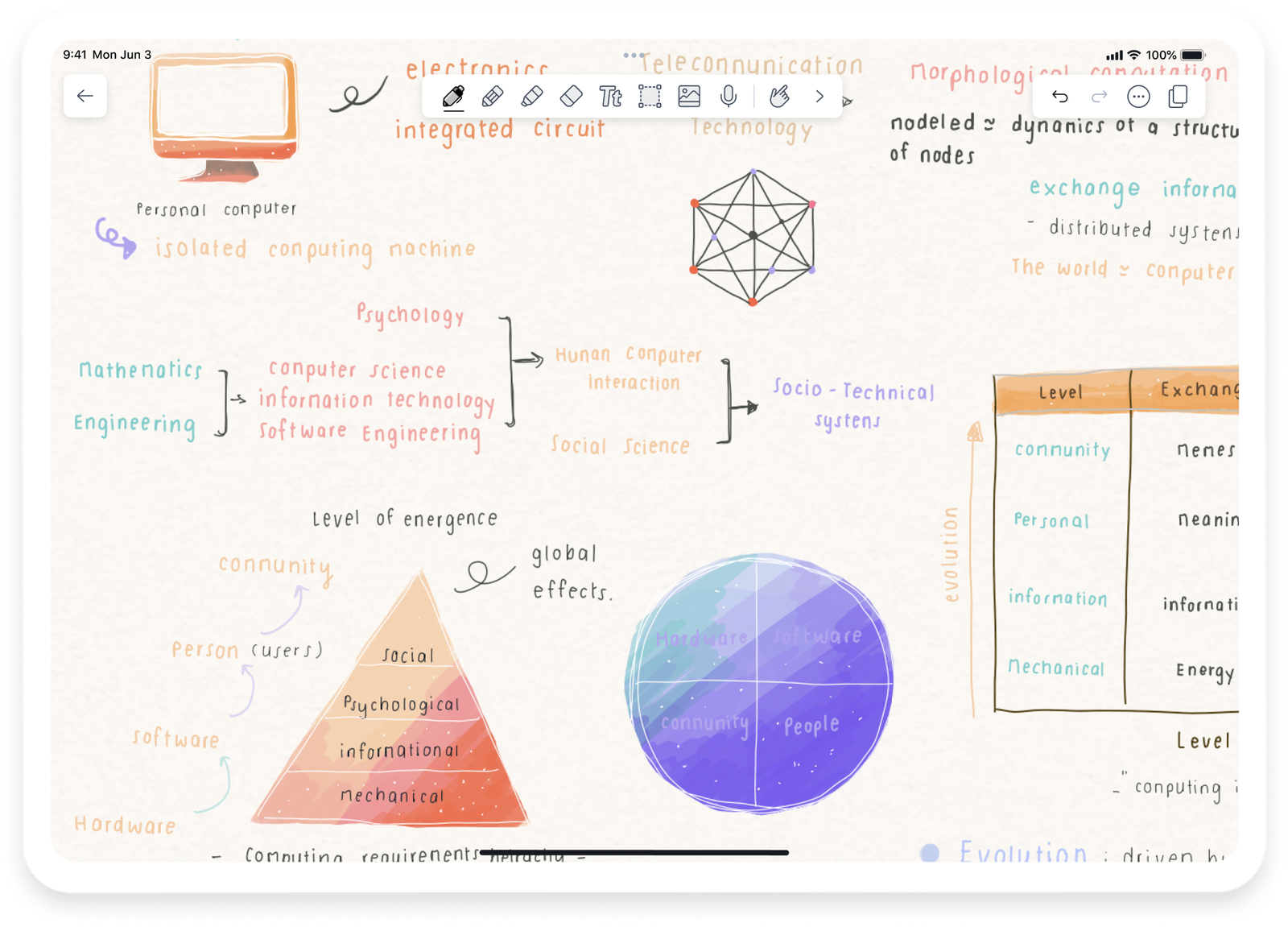
GoodNotes interface delivers a notebook-style layout. It uses a shelf-based organization where users access notes through visual thumbnails. This structure helps students and professionals keep topics visually separated.
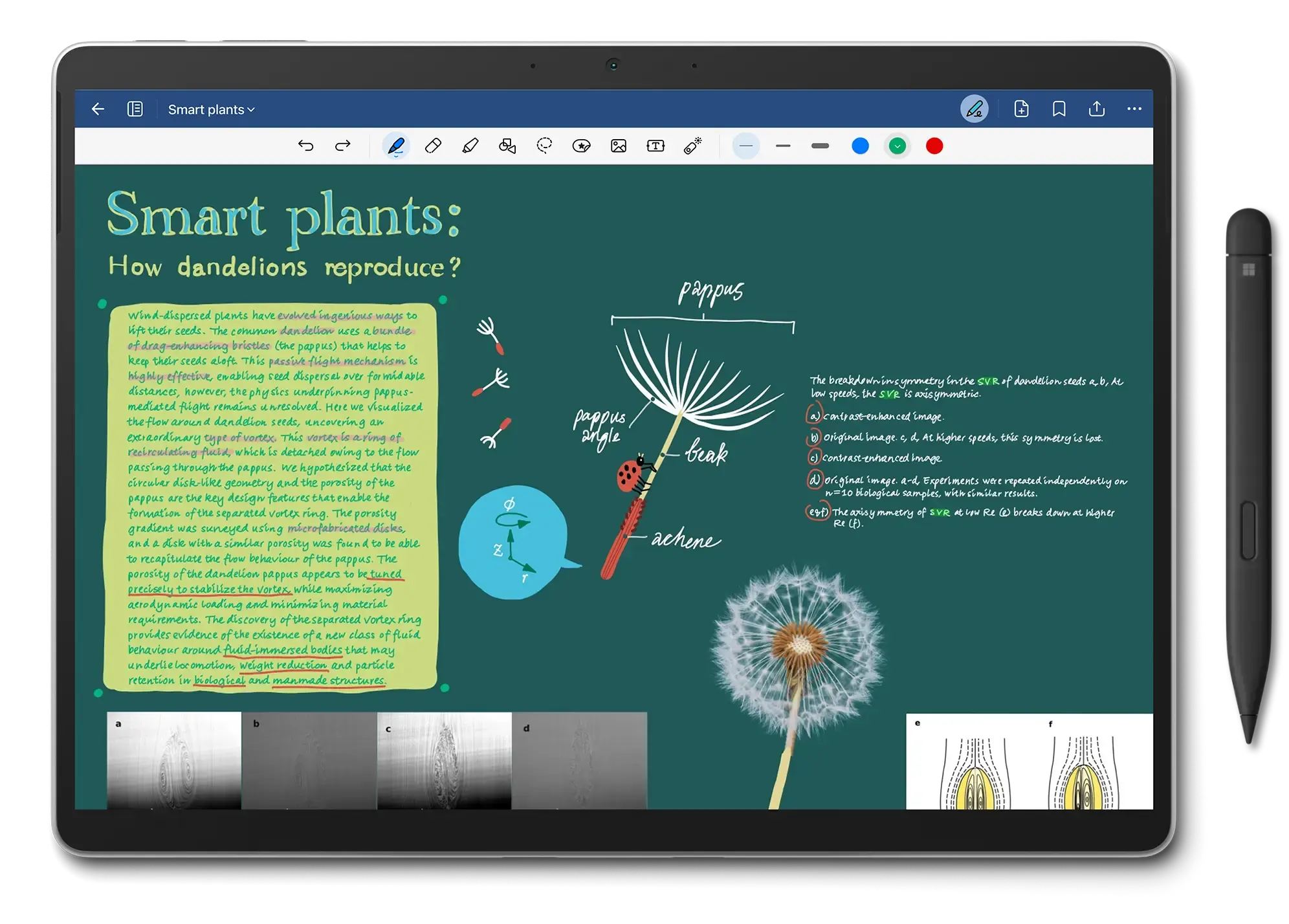
Notability interface offers a single scrolling note feed. It reduces folder complexity and prioritizes quick access. This interface suits users who take notes continuously across subjects.
Handwriting Experience
GoodNotes handwriting feels natural due to advanced stroke smoothing and Apple Pencil optimization. It provides pen pressure sensitivity and custom pen types (fountain, brush, ballpoint). Handwriting in GoodNotes mirrors real ink precision.
Notability handwriting focuses on speed and convenience. It allows instant switching between tools and fast erasing. The writing engine delivers fluid motion but slightly less precision than GoodNotes in detailed diagrams.
Audio Recording and Replay
Notability recording function is a standout feature. It synchronizes handwritten notes with recorded audio. When users replay audio, the notes reappear exactly as written at that moment. This function improves comprehension in lectures and meetings.
GoodNotes lacks built-in audio sync. Users who depend on voice annotation must integrate external apps.
PDF Annotation and Document Management
GoodNotes PDF tools enable precise highlighting, underlining, and shape insertion. Users can import large PDFs, organize them in folders, and annotate directly on pages. It supports Apple Pencil gestures for fast editing.
Notability PDF annotation offers smoother scrolling and quicker access. It handles continuous PDF markup efficiently and allows voice-linked comments. This feature benefits users reviewing audio-based study materials.
Search and OCR Capabilities
GoodNotes search system uses Optical Character Recognition (OCR) across handwritten, typed, and imported text. It identifies text in 17 languages, making it superior for multilingual users.
Notability search supports handwritten OCR but within limited contexts. Its text recognition accuracy remains strong for English but weaker for complex scripts.
Cloud Sync and File Sharing
GoodNotes syncs with iCloud. It maintains seamless file versioning and instant device synchronization. Shared links allow real-time collaboration.
Notability syncs with iCloud and Google Drive. It offers quick auto-backup options. However, shared editing is restricted compared to GoodNotes’ collaborative notebooks.
Customization and Templates

GoodNotes templates include grid, dotted, lined, and planner pages. Users can import custom backgrounds and create themed notebooks.
Notability customization focuses on page colors, dividers, and stylus presets. It offers limited template variety but faster personalization for each note session.
Device Compatibility
GoodNotes works on iPad, iPhone, Mac, and Windows (Beta). Cross-platform performance continues improving.
Notability functions on iPad, iPhone, and Mac only. Windows compatibility remains unavailable.
Collaboration and Real-Time Sharing
GoodNotes collaboration allows real-time notebook sharing. Multiple users edit the same file simultaneously, ideal for project work.
Notability collaboration permits note sharing via links or PDFs but lacks simultaneous live editing.
Storage and Backup Options
GoodNotes backup integrates with iCloud Drive and external exports (Dropbox, Google Drive). Files remain editable post-export.
Notability backup supports auto-exports in PDF or note format. Recordings increase storage requirements, especially for long sessions.
Best Use Cases
- GoodNotes suits structured learners, planners, and professionals managing categorized content.
- Notability suits students and fast-paced professionals who depend on audio-linked notes.
Pricing and Subscription Model (2025 Update)
- GoodNotes 6 follows a one-time purchase model of $29.99 with optional cloud features.
- Notability operates on a freemium model with core functions free and a premium subscription at $14.99/year for unlimited edits, recordings, and storage.
Key Strengths Summary
GoodNotes strengths:
- Advanced organization system
- Superior handwriting precision
- Multilingual OCR accuracy
Notability strengths:
- Audio sync with handwriting
- Simplified interface
- Faster workflow transitions
Verdict: Which is Better?
GoodNotes delivers higher precision, better structure, and cross-platform access. It performs best for users valuing order and detailed annotation.
If you have GoodNotes 6 version on your tablet then you can watch this video for a full walkthrough.
Video Credit – Janice • Good Mondays Paper
Notability provides unmatched speed and recording integration. It performs best for users prioritizing lecture capture and quick revision.
The following video tutorial can give you a better idea of “How to use Notability?”
Video Credit – Nathan LemoineFinal Decision:
- Choose GoodNotes for structured digital notebooks.
- Choose Notability for fast, audio-synced note workflows.
Summary Table
| Feature | GoodNotes 6 | Notability |
|---|---|---|
| Handwriting Precision | Excellent | Very Good |
| Audio Recording | No | Yes |
| Organization System | Folder-based | Feed-based |
| OCR Search | 17 Languages | English-focused |
| Collaboration | Real-time | View-only |
| Platforms | iPad, iPhone, Mac, Windows | iPad, iPhone, Mac |
| Pricing (2025) | $29.99 One-time | $14.99/year |
| Best For | Structured Planners | Fast Audio Note-takers |
Frequently Asked Questions
Q1. Can you convert handwriting to text in GoodNotes or Notability?
Yes. Both apps offer handwriting-to-text conversion. GoodNotes supports more languages, while Notability performs faster in English.
Q2. Do both apps work without the internet?
Yes. Both apps function fully offline. Cloud syncing updates once the device reconnects to the internet.
Q3. Can GoodNotes and Notability share notes with each other?
Yes. Notes can be exported as PDF files and imported between apps, though interactive features like audio sync will not transfer.
Q4. Which app is better for Apple Pencil users?
GoodNotes delivers more natural pen pressure and smoother ink strokes, making it slightly better for Apple Pencil writing.
Q5. Which app offers better long-term value?
GoodNotes offers better value over time due to its one-time payment model and expanding cross-platform support.
Conclusion
GoodNotes vs Notability comparison reveals that both apps excel in distinct workflows. GoodNotes increases structured productivity. Notability enhances real-time learning efficiency. Both remain the top digital note-taking tools for iPad users in 2025.

Ben Scott is a prominent technology journalist and reviewer, specializing in tablet devices. He is known for his comprehensive and unbiased reviews of tablets from various manufacturers.
With a deep understanding of tablet technology, including hardware components, operating systems, and software applications, Scott provides clear and informative reviews accessible to readers of all levels of technical expertise.
His attention to detail and in-depth analysis have earned him a loyal following of readers.