

Learning how to clean a tablet screen properly prevents scratches, removes germs, and restores display clarity. Tablet screens accumulate fingerprints, dust, and oil that reduce touch sensitivity and visual quality. Using safe cleaning methods maintains both performance and hygiene without damaging the protective coating or touchscreen surface.
Table of Contents
Why It’s Important to Clean a Tablet Screen
A clean tablet screen ensures accurate touch response, better visibility, and longer display life. Tablets are frequently touched, making them prone to bacteria, oils, and dirt buildup. Cleaning prevents smudging that causes glare and protects against surface degradation.
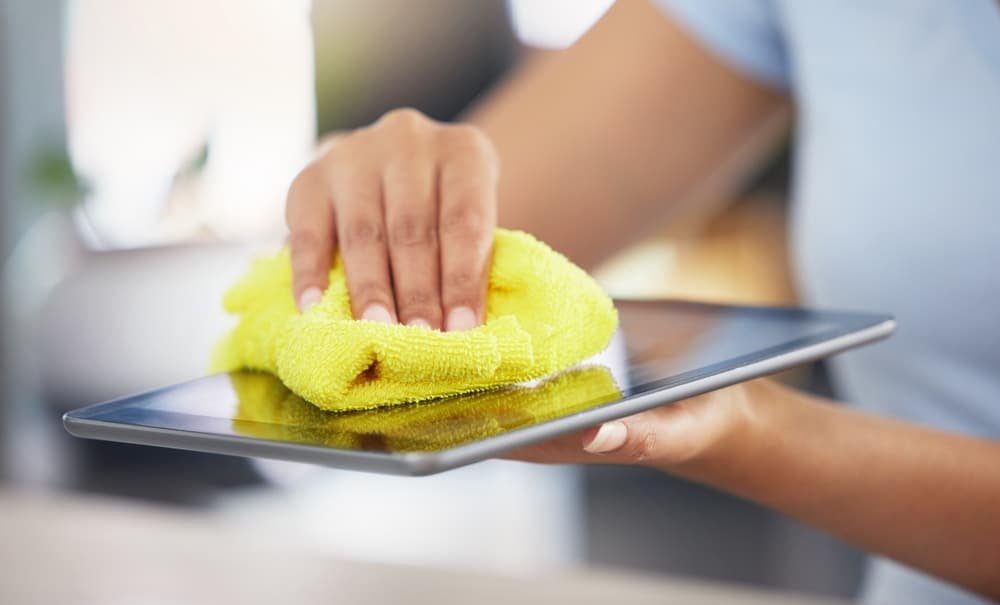
Regular cleaning reduces static buildup, which attracts dust, and preserves the screen’s oleophobic layer that resists fingerprints. Learning the correct cleaning technique guarantees the screen stays bright, responsive, and safe from damage.
What You Need to Clean a Tablet Screen
To clean a tablet screen safely, use soft, non-abrasive materials and gentle cleaning solutions. Avoid harsh chemicals that strip protective coatings or cause discoloration.
Recommended Materials
- Microfiber cloth: Removes dust and smudges without scratching.
- Distilled water: Safely dissolves surface residue.
- Isopropyl alcohol (70% or less): Disinfects without harming glass.
- Screen cleaning spray: Formulated for electronic displays.
Avoid These Items
- Paper towels or tissues that scratch glass.
- Household cleaners containing ammonia, bleach, or vinegar.
- Compressed air or rough fabrics that create micro-abrasions.
Using the right materials ensures the cleaning process enhances clarity instead of damaging the touchscreen.
Step-by-Step Guide to Clean a Tablet Screen
Step 1: Power Off and Unplug the Tablet
Before you clean a tablet screen, always turn off the device and disconnect it from power. A powered-off screen makes smudges more visible and prevents electrical short circuits.
Step 2: Remove Dust and Loose Particles
Gently wipe the screen with a dry microfiber cloth using circular motions. This removes surface dust and debris before applying liquid, reducing the risk of scratches.
Step 3: Apply Cleaning Solution Properly
Lightly dampen one corner of the microfiber cloth with distilled water or screen-safe cleaner. Never spray directly onto the tablet screen, as liquid can seep into ports or edges.
Step 4: Wipe the Screen Gently
Use soft, controlled strokes to remove smudges and fingerprints. Focus on edges and corners where oils accumulate. Continue wiping until the display looks clear and streak-free.

Step 5: Dry and Polish the Screen
Use the dry side of the microfiber cloth to polish the surface. Ensure no moisture remains before turning the tablet back on.
Cleaning in this order prevents moisture damage and maintains the integrity of the screen coating.
How to Disinfect a Tablet Screen Without Damage
To clean a tablet screen while killing germs, use isopropyl alcohol or pre-moistened electronic wipes. Apply the solution to the cloth, not the device.
Wipe the entire surface gently, including bezels and buttons. Avoid excessive pressure to protect the digitizer layer beneath the glass. Disinfecting once a week ensures hygienic use, especially for shared or public-use tablets.
Tip: Allow the tablet to air-dry for at least one minute before turning it on.
How Often to Clean a Tablet Screen
Cleaning frequency depends on usage. For everyday users, wiping the screen two or three times weekly prevents buildup. In offices or classrooms, where devices are shared, disinfect daily.
Perform deep cleaning once every two weeks using approved sprays or wipes to restore brightness and maintain touch accuracy.
How to Clean a Tablet Screen with Screen Protector Installed
If the tablet has a screen protector, the cleaning method remains the same but slightly gentler. Avoid excessive moisture and harsh rubbing, which can lift the protector’s edges.
Use only minimal water or screen-safe cleaner to maintain the adhesive layer underneath. Replace the protector if it shows bubbles, cracks, or permanent residue.
A clean protector keeps the touch layer smooth and ensures the screen underneath remains spotless.
Special Cleaning Techniques for Different Screen Types
Glossy Screens
Glossy screens highlight smudges more prominently. To clean them effectively, use circular motions with minimal liquid. Dry immediately to prevent streaking.
Matte Screens
Matte finishes resist glare but attract fine dust. Use a dry microfiber cloth first, then a lightly dampened one for stubborn spots.
OLED and Mini-LED Screens
These premium displays are sensitive to alcohol concentrations above 70%. Use water-based cleaners or approved wipes to protect pixel coatings.
Understanding the display type helps apply the correct cleaning method for maximum clarity and safety.
How to Clean Tablet Ports and Bezels
Dust often collects around edges, bezels, and charging ports. To clean a tablet screen thoroughly, include these areas:
- Use a dry, soft-bristled brush or cotton swab to remove dust near buttons or speakers.
- Avoid inserting sharp tools into ports.
- Never use liquid directly on bezels or openings.
Cleaning these details enhances the overall look and ensures full touch responsiveness along screen edges.
Common Mistakes to Avoid When Cleaning a Tablet Screen
Many users unknowingly damage their screens with improper cleaning techniques. Avoid these common errors:
- Spraying liquid directly onto the screen.
- Using paper towels, which leave lint and scratches.
- Applying excessive pressure that damages display layers.
- Mixing alcohol with vinegar or ammonia.
By avoiding these mistakes, you ensure the display stays pristine and responsive for years.
Eco-Friendly Ways to Clean a Tablet Screen
Environmentally conscious users can clean a tablet screen using reusable microfiber cloths and natural water-based sprays. Avoid disposable wipes that generate waste.
Use refillable bottles with distilled water and a small amount of mild soap for occasional cleaning. This approach keeps both your device and the environment safe.
Maintaining a Clean Tablet Screen
Keeping a tablet screen clean requires consistent habits:
- Wash hands before using the device.
- Store tablets in sleeves or cases when not in use.
- Avoid using the device while eating or cooking.
- Clean the screen routinely using soft cloths.
Preventive maintenance reduces the frequency of deep cleaning sessions and extends screen longevity.
Frequently Asked Questions
Can I use baby wipes to clean a tablet screen?
No. Baby wipes contain oils and fragrances that leave residue and damage coatings. Always use electronic-safe wipes.
Is it safe to use alcohol wipes?
Yes, if the alcohol concentration is under 70%. High-strength alcohol removes the oleophobic layer.
Can I clean a tablet screen with vinegar?
No. Vinegar’s acidity can erode the protective finish and cause streaking.
Do microfiber cloths remove germs?
They remove dirt and oils but do not disinfect. Combine them with isopropyl alcohol for germ elimination.
What should I do if liquid seeps under the screen?
Power off the device immediately and let it dry completely before using it again. Seek professional cleaning if moisture persists.
Best Practices for Long-Term Screen Care
- Always use genuine cleaning products designed for electronics.
- Replace microfiber cloths when they show signs of wear.
- Keep tablets away from humid or dusty environments.
- Reapply screen protectors periodically for added safety.
These practices ensure you clean a tablet screen safely and maintain its original performance and brightness.
Conclusion
Knowing how to clean a tablet screen properly protects the device from wear, improves display visibility, and enhances hygiene. Using the correct materials – microfiber cloths, distilled water, and mild cleaners keeps screens clear without removing protective coatings.
Regular, gentle cleaning sustains the tablet’s sensitivity, prevents damage, and delivers a flawless viewing experience for years.

Ben Scott is a prominent technology journalist and reviewer, specializing in tablet devices. He is known for his comprehensive and unbiased reviews of tablets from various manufacturers.
With a deep understanding of tablet technology, including hardware components, operating systems, and software applications, Scott provides clear and informative reviews accessible to readers of all levels of technical expertise.
His attention to detail and in-depth analysis have earned him a loyal following of readers.