

An iPad Pro is better for taking notes when handwriting, sketching, flexibility, and portability matter, while a laptop is better for taking notes when typing speed, long-form writing, and advanced document management are the priority. The better device depends on how notes are taken, where they are used, and what type of notes you create daily.
This guide precisely explains whether you should choose iPad Pro or a laptop for note-taking. It focuses on real-world note-taking scenarios rather than specifications alone.

Table of Contents
Understanding How Note-Taking Differs Between Devices
Note-taking is not a single activity. It includes handwritten notes, typed notes, annotated PDFs, diagrams, equations, sketches, meeting summaries, and research organization. A laptop and an iPad Pro approach these tasks in fundamentally different ways.
A laptop is built around a keyboard-first workflow. An iPad Pro is built around touch, pen input, and flexible interaction. This difference defines which device performs better in specific note-taking situations.
Why the iPad Pro Excels at Note-Taking
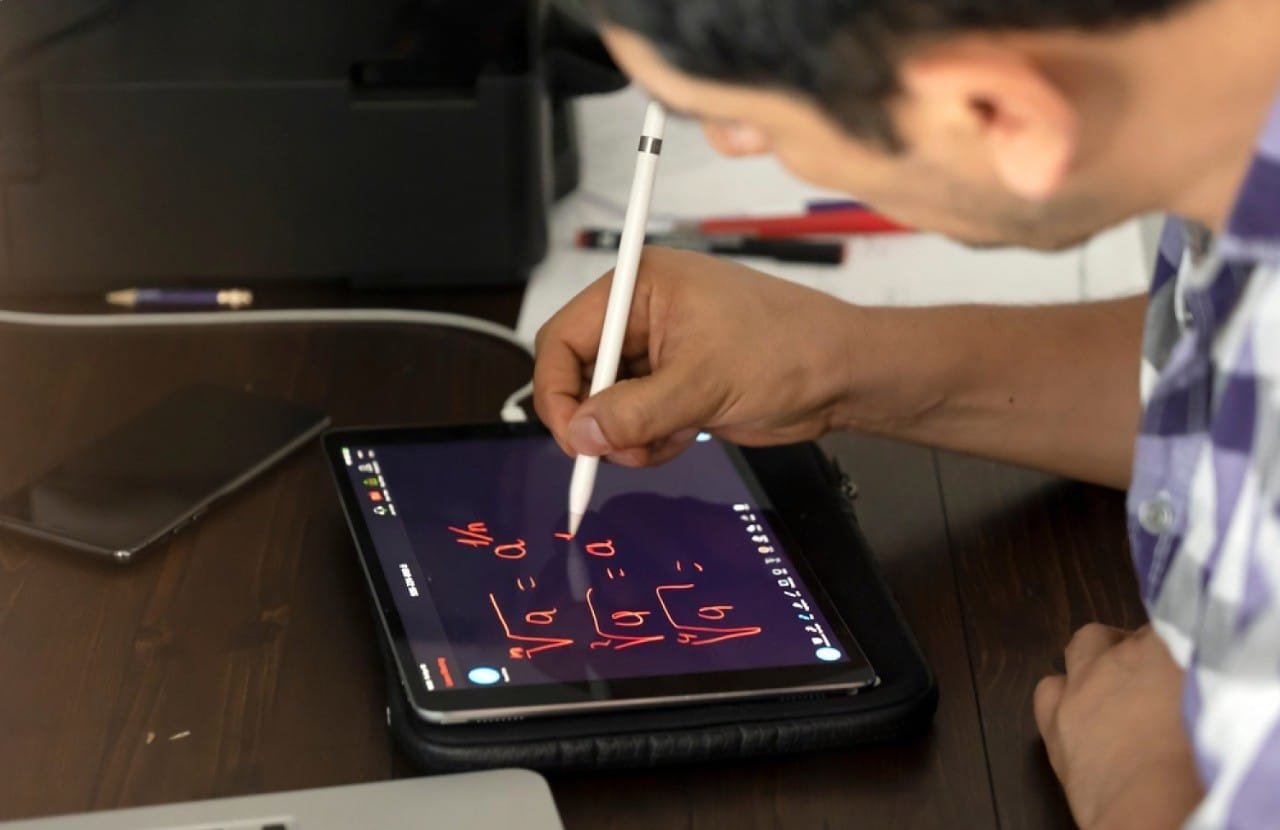
The iPad Pro is designed for natural note-taking through handwriting and drawing. With Apple Pencil support, the iPad Pro behaves like a digital notebook that captures handwriting, diagrams, highlights, and annotations in a way laptops cannot replicate.
Handwritten Notes Feel Natural
Writing on an iPad Pro closely mimics pen and paper. Pressure sensitivity, low latency, and palm rejection allow comfortable long writing sessions. This makes the iPad Pro ideal for students, researchers, and professionals who think better when writing by hand.
Better for Diagrams, Math, and Visual Notes
Subjects that rely on symbols, equations, charts, or sketches benefit significantly from pen input. Drawing graphs, annotating slides, or solving equations feels faster and clearer than typing.
Direct PDF and Slide Annotation
The iPad Pro allows direct annotation on textbooks, lecture slides, contracts, and research papers. Highlighting, circling, and margin notes feel immediate and intuitive.
Portability and Instant Access
The iPad Pro is thin, lightweight, and wakes instantly. This makes it easy to pull out during meetings, lectures, or travel without setup delays.
Note Apps Optimized for Pen Input
Apps like GoodNotes, Notability, OneNote, and Apple Notes are specifically designed around handwriting. They support searchable handwritten text, audio sync, layered notes, and structured notebooks.
Where the iPad Pro Falls Short for Note-Taking
Despite its strengths, the iPad Pro is not perfect for every note-taking workflow.
Typing Long Text Is Less Comfortable
Even with a keyboard case, extended typing sessions often feel less ergonomic than on a laptop. Multihour writing tasks can become tiring.
File Management Is More Controlled
iPadOS manages files efficiently, but users who rely on complex folder hierarchies, multiple document formats, or desktop-level organization may feel restricted.
App Limitations in Professional Environments
Some specialized academic or enterprise tools still function better on desktop operating systems.
Why a Laptop Is Better for Note-Taking in Some Scenarios

A laptop excels at structured, text-heavy, and long-form note-taking. It is optimized for typing speed, document formatting, and multitasking across many windows and files.
Faster for Typed Notes
Typing is faster than handwriting for many users. Laptops allow rapid transcription during lectures, meetings, or interviews where speed matters.
Better for Long Documents
Writing research notes, reports, essays, and summaries is more comfortable on a full keyboard with a large screen and desktop-level formatting tools.
Advanced File and Reference Management
Laptops handle multiple documents, reference managers, spreadsheets, and browser tabs more efficiently. This is important for academic research or professional documentation.
More Powerful Multitasking
Desktop operating systems allow complex multitasking with multiple windows, external monitors, and background processes.
Where Laptops Are Weak for Note-Taking
Laptops are not ideal in situations that require flexibility or manual input.
No Native Handwriting Experience
Using a mouse or trackpad for diagrams, math, or annotations feels unnatural and slow.
Less Convenient in Mobile Environments
Opening a laptop during a quick meeting, standing discussion, or crowded lecture hall is less practical.
Poor for Visual Thinking
Mind maps, free-form sketches, and handwritten brainstorming do not translate well to keyboard-only input.
Comparing iPad Pro and Laptop for Common Note-Taking Use Cases
For Students
Students benefit greatly from the iPad Pro. Handwritten notes improve memory retention for many learners, and direct annotation on textbooks reduces clutter. However, students writing long essays still benefit from a laptop.
For Professionals and Meetings
The iPad Pro works well for meetings, client discussions, and brainstorming sessions. Laptops perform better for structured meeting minutes, reports, and documentation-heavy roles.
For Researchers and Academics
Researchers often prefer a hybrid approach. The iPad Pro handles reading and annotating papers efficiently, while laptops manage citations, writing, and data organization.
For Creatives and Designers
The iPad Pro clearly wins. Sketching, visual notes, wireframes, and creative ideation are faster and more expressive with Apple Pencil.
Typing vs Handwriting: Which Is Better for Notes?
Research consistently shows that handwritten notes improve conceptual understanding and memory retention, while typed notes capture more information quickly. The iPad Pro bridges this gap by allowing handwriting with digital organization.
Laptops remain superior when speed and volume matter more than comprehension.
Battery Life and Reliability for Note-Taking
Both devices offer strong battery life, but the iPad Pro often lasts longer during note-taking sessions due to efficient power management. Instant wake and silent operation give the iPad Pro an advantage in classrooms and meetings.
Laptops may require more frequent charging during heavy multitasking.
Cost Considerations
An iPad Pro with Apple Pencil and keyboard can approach or exceed laptop pricing. A standard laptop may offer more raw computing value per dollar, especially for users who do not need pen input.
Value depends on how often handwriting and touch interaction are used.
Which One Should You Choose?
Choose an iPad Pro for note-taking if you:
- Prefer handwriting over typing
- Take visual, diagram-based notes
- Annotate PDFs and textbooks frequently
- Value portability and instant access
- Want a paperless workflow
Choose a laptop for note-taking if you:
- Type faster than you write
- Take long, text-heavy notes
- Manage large documents and files
- Use desktop-only software
- Work with external displays often
Many users ultimately find that using both together delivers the best results, with the iPad Pro handling input and annotation, and the laptop handling organization and long-form writing.
Frequently Asked Questions
- Is an iPad Pro better than a laptop for college notes?
Yes, especially for handwritten notes and annotations. A laptop still helps for essays.
- Can an iPad Pro fully replace a laptop for note-taking?
Yes for most note-taking tasks, but not for all writing-intensive workflows.
- Is typing on an iPad Pro as good as a laptop?
No. It is good, but laptops remain more comfortable for long typing sessions.
- Do professionals prefer iPad Pro or laptop for notes?
It depends on the role. Creative and meeting-heavy roles favor iPad Pro.
Conclusion
An iPad Pro is better for taking notes when handwriting, visual thinking, and flexibility matter, while a laptop is better when speed, structure, and long-form typing dominate the workflow. Neither device is universally superior. The right choice depends on your note-taking style, environment, and daily tasks.
For many users, the iPad Pro becomes the primary note-taking device, while the laptop remains the tool for organization and output. Understanding how you take notes – not just what device you prefer leads to the best decision.

Ben Scott is a prominent technology journalist and reviewer, specializing in tablet devices. He is known for his comprehensive and unbiased reviews of tablets from various manufacturers.
With a deep understanding of tablet technology, including hardware components, operating systems, and software applications, Scott provides clear and informative reviews accessible to readers of all levels of technical expertise.
His attention to detail and in-depth analysis have earned him a loyal following of readers.