

A stylus works by converting hand movements into digital signals that your tablet understands. A stylus uses sensors, pressure systems, electrical signals, or electromagnetic resonance to produce accurate lines, taps, swipes, and handwriting. Understanding how a stylus works increases drawing accuracy, improves note-taking precision, and helps users choose the right stylus for their device.
This guide explains exactly how does a stylus works, how different stylus technologies operate, and why each one behaves differently on tablets.
Table of Contents
What Is a Stylus?
A stylus is a digital pen that interacts with a touchscreen. A stylus replaces finger input with higher precision, cleaner lines, pressure control, and natural handwriting movement. Tablets interpret stylus input using sensors located inside the pen, inside the screen, or both, depending on the technology.
How a Stylus Works: The Three Main Technologies
Styluses operate using three core systems. Each system calculates touch position, hand pressure, speed, and angle differently.
1. Capacitive Stylus (Basic Touch Stylus)
A capacitive stylus works by mimicking the electrical charge of your finger. Capacitive screens detect changes in electrical fields. When the conductive tip touches the screen, the tablet registers it as a standard finger tap.

How it works:
- The stylus tip conducts a tiny electrical signal.
- The screen senses the contact point.
- No pressure or tilt information is detected.
Used for:
Basic navigation, general tapping, quick notes.
Key limits:
No pressure sensitivity, no tilt detection, no palm rejection.
2. Active Stylus (Bluetooth or Digitizer-Based)
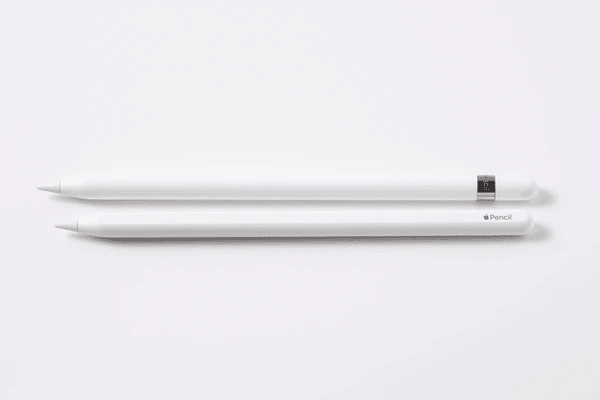
An active stylus works using internal electronic components that communicate with the tablet. Active styluses include sensors, chips, and pressure systems.
How it works:
- The pen sends signals to the tablet using Bluetooth or a built-in digitizer.
- The tablet reads pressure levels, tilt angle, and stroke speed.
- The system produces responsive lines, shading, and handwriting.
Key features:
- Pressure sensitivity
- Tilt detection
- Palm rejection
- Buttons for shortcuts
- Low-latency ink tracking
Examples:
Apple Pencil, Microsoft Surface Pen.
Active styluses work extremely well for drawing and writing because both the pen and tablet communicate continuously.
3. EMR Stylus (Electromagnetic Resonance)
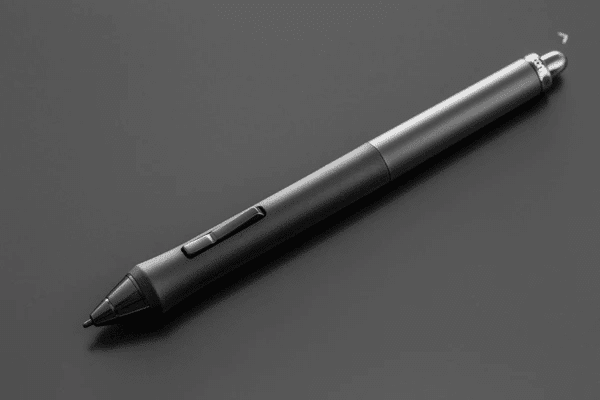
An EMR stylus works without a battery. Instead, the screen contains a grid of electromagnetic coils. When the stylus approaches the screen, the coils power the pen wirelessly.
How it works:
- The screen sends out an electromagnetic signal.
- The stylus receives this energy and sends a signal back.
- The tablet maps position, pressure, tilt, and hover distance.
Key features:
- Battery-free
- Extremely high precision
- Hover detection
- Very low latency
Examples:
Samsung S Pen, Wacom Pen.
EMR technology offers excellent accuracy and remains popular for professional art.
How Stylus Pressure Sensitivity Works
Pressure sensitivity measures how hard the user presses the stylus. The internal sensors calculate compression force and translate it into stroke thickness.
- Light pressure = thin lines
- Heavy pressure = thicker lines
Higher pressure levels improve shading, sketching, and detailed artwork.
How Stylus Tilt Detection Works
Tilt detection measures the angle of the stylus relative to the screen. Tablets use this to simulate pencil shading, brush angle changes, and realistic sketch effects.
- Upright stylus = precise thin lines
- Tilted stylus = broader, softer shading
Tilt sensors help artists achieve natural drawing behavior.
How Palm Rejection Works
Palm rejection ignores any touch from the palm while accepting only stylus input.
This works using:
- Stylus priority signal
- Touchscreen filtering algorithms
Palm rejection ensures writing or drawing remains clean even when resting the hand on the display.
How Stylus Latency Works
Latency is the delay between pen movement and on-screen ink. Faster processors, optimized screens, and advanced stylus sensors reduce this delay until the ink feels instant.
- High refresh rate = smoother, faster response
- Strong digitizer = tighter tracking
- Modern styluses = nearly invisible lag
Low latency improves handwriting and drawing accuracy.
Why Different Styluses Behave Differently
Stylus performance varies because:
- Some pens use Bluetooth, others use EMR.
- Some tablets include digitizers; others rely only on capacitive touch.
- Some pens have pressure and tilt sensors; basic styluses do not.
- Some operating systems optimize stylus input more effectively.
Stylus function depends entirely on how the hardware and software communicate.
Benefits of Understanding How a Stylus Works
Knowing how a stylus works helps users:
- Choose the correct stylus for their tablet
- Improve drawing technique
- Fix responsiveness or lag issues
- Adjust pressure settings
- Understand compatibility limits
A clear understanding leads to better performance during creative work, note-taking, or everyday use.
Conclusion
A stylus works by converting physical movement into digital input using capacitive touch, active digitizer sensors, or EMR technology. Pressure sensors, tilt detection, palm rejection, and low-latency tracking combine to create accurate handwriting and natural drawing behavior. Understanding how a stylus works improves workflow, increases control, and helps users choose the right stylus for their device.

Ben Scott is a prominent technology journalist and reviewer, specializing in tablet devices. He is known for his comprehensive and unbiased reviews of tablets from various manufacturers.
With a deep understanding of tablet technology, including hardware components, operating systems, and software applications, Scott provides clear and informative reviews accessible to readers of all levels of technical expertise.
His attention to detail and in-depth analysis have earned him a loyal following of readers.